For the complete documentation index, see llms.txt. Markdown versions of all docs pages are available by appending .md to any docs URL.
Virtual MCP
Verified : Code examples on this page have been automatically tested and verified.Federate tools from multiple MCP servers on a single gateway endpoint using virtual MCP multiplexing.
To federate multiple MCP servers on the same gateway, you can use a label selector in the MCP Backend.
This approach, also referred to as multiplexing, makes it easier for you to add more MCP servers by adding labels. It also lets your clients access tools from multiple MCP servers through a single endpoint and MCP connection.
Warning
Note that only streamable HTTP is currently supported for label selectors. If you have SSE, use a static MCP Backend.
Before you begin
Install and set up an agentgateway proxy.Step 1: Deploy the MCP servers
Deploy multiple Model Context Protocol (MCP) servers that you want agentgateway to proxy traffic to. The following example sets up two MCP servers with different tools: one npx based MCP server that provides various utility tools and an MCP server with a website fetch tool.
Create an MCP server (
mcp-server-everything) that provides various utility tools. Notice that the Service uses theappProtocol: agentgateway.dev/mcpsetting. This way, agentgateway configures the agentgateway proxy to look for an equivalent AgentgatewayBackend resource.kubectl apply -f- <<EOF apiVersion: apps/v1 kind: Deployment metadata: name: mcp-server-everything labels: app: mcp-server-everything spec: replicas: 1 selector: matchLabels: app: mcp-server-everything template: metadata: labels: app: mcp-server-everything spec: containers: - name: mcp-server-everything image: node:20-alpine command: ["npx"] args: ["-y", "@modelcontextprotocol/server-everything", "streamableHttp"] ports: - containerPort: 3001 readinessProbe: tcpSocket: port: 3001 initialDelaySeconds: 2 periodSeconds: 2 failureThreshold: 30 --- apiVersion: v1 kind: Service metadata: name: mcp-server-everything labels: app: mcp-server-everything spec: selector: app: mcp-server-everything ports: - protocol: TCP port: 3001 targetPort: 3001 appProtocol: agentgateway.dev/mcp type: ClusterIP EOFCreate another MCP server workload with a website fetcher tool.
kubectl apply -f- <<EOF
apiVersion: apps/v1
kind: Deployment
metadata:
  name: mcp-website-fetcher
spec:
  selector:
    matchLabels:
      app: mcp-website-fetcher
  template:
    metadata:
      labels:
        app: mcp-website-fetcher
    spec:
      containers:
      - name: mcp-website-fetcher
        image: ghcr.io/peterj/mcp-website-fetcher:main
        imagePullPolicy: Always
---
apiVersion: v1
kind: Service
metadata:
  name: mcp-website-fetcher
  labels:
    app: mcp-website-fetcher
spec:
  selector:
    app: mcp-website-fetcher
  ports:
  - port: 80
    targetPort: 8000
    appProtocol: agentgateway.dev/mcp
EOF
Create an AgentgatewayBackend that selects both MCP servers that you created.
kubectl apply -f- <<EOF
apiVersion: agentgateway.dev/v1alpha1
kind: AgentgatewayBackend
metadata:
  name: mcp
spec:
  mcp:
    targets:
      - name: mcp-server-everything
        selector:
          services:
            matchLabels:
              app: mcp-server-everything
      - name: mcp-website-fetcher
        static:
          host: mcp-website-fetcher.default.svc.cluster.local
          port: 80
          protocol: SSE
EOF
Note
Failure mode: By default, agentgateway uses
FailClosedbehavior, which means that if any MCP target fails to initialize or becomes unavailable during a fanout, the entire session fails. To allow the gateway to skip failed targets and continue serving from the healthy ones, set thefailureModefield toFailOpenon the AgentgatewayBackend:spec: mcp: failureMode: FailOpen targets: ...With
FailOpen, if one MCP server is down, the gateway still serves tools from the remaining healthy servers. If all targets fail, the gateway returns an error.Note
Tool name prefixing: When multiplexing, agentgateway namespaces tool and prompt names with the target name so that identical names from different servers do not collide. Resource URIs always retain target routing information and are unaffected. Control this behavior with the
prefixModefield on the AgentgatewayBackend:Conditional(default): Prefix names only when the backend has more than one target.Always: Always prefix names, even with a single target.Never: Never prefix names. Calls are routed by looking up which target serves the name, so names must be unique across all targets. Use this mode when clients need plain tool names, such as for MCP Apps.
spec:
  mcp:
    prefixMode: Never
    targets:
      ...
Step 2: Route with agentgateway
Route to the federated MCP servers with agentgateway.
- Create an HTTPRoute resource that routes to the AgentgatewayBackend that you created in the previous step.
kubectl apply -f- <<EOF
apiVersion: gateway.networking.k8s.io/v1
kind: HTTPRoute
metadata:
  name: mcp
spec:
  parentRefs:
  - name: agentgateway-proxy
    namespace: agentgateway-system
  rules:
    - backendRefs:
      - name: mcp
        group: agentgateway.dev
        kind: AgentgatewayBackend
      matches:
      - path:
          type: PathPrefix
          value: /mcp
EOF
Check that the HTTPRoute is
Accepted, selects the Gateway, and includes backend rules for the AgentgatewayBackend that you created.kubectl describe httproute mcpExample output:
Name:         mcp
Namespace:    default
Labels:       <none>
Annotations:  <none>
API Version:  gateway.networking.k8s.io/v1
Kind:         HTTPRoute
Metadata:
  Creation Timestamp:  2025-08-11T16:16:16Z
  Generation:          1
  Resource Version:    13598
  UID:                    78f649b9-310e-4f21-ac0f-e516f06d8f22
Spec:
  Parent Refs:
    Group:        gateway.networking.k8s.io
    Kind:         Gateway
    Name:         agentgateway-proxy
    Namespace:    agentgateway-system
  Rules:
    Backend Refs:
      Group:   agentgateway.dev
      Kind:    AgentgatewayBackend
      Name:    mcp
      Weight:  1
    Matches:
      Path:
        Type:   PathPrefix
        Value:  /mcp
Status:
  Parents:
    Conditions:
      Last Transition Time:  2025-12-19T03:13:18Z
      Message:
      Observed Generation:   2
      Reason:                Accepted
      Status:                True
      Type:                  Accepted
      Last Transition Time:  2025-12-19T14:24:01Z
      Message:
      Observed Generation:   2
      Reason:                ResolvedRefs
      Status:                True
      Type:                  ResolvedRefs
    Controller Name:         agentgateway.dev/agentgateway
    Parent Ref:
      Group:      gateway.networking.k8s.io
      Kind:       Gateway
      Name:       agentgateway-proxy
      Namespace:  agentgateway-system
Step 3: Verify the connection
Use the MCP Inspector tool to verify that you can connect to your federated MCP servers through agentgateway.
Get the agentgateway address.
export INGRESS_GW_ADDRESS=$(kubectl get gateway agentgateway-proxy -n agentgateway-system -o=jsonpath="{.status.addresses[0].value}") echo $INGRESS_GW_ADDRESSFrom the terminal, run the MCP Inspector command. Then, the MCP Inspector opens in your browser.
npx @modelcontextprotocol/inspector@0.21.2From the MCP Inspector menu, connect to your agentgateway address as follows:
- Transport Type: Select
Streamable HTTP. - URL: Enter the agentgateway address and the
/mcppath, such as${INGRESS_GW_ADDRESS}/mcporhttp://localhost:8080/mcp. - Click Connect.
- Transport Type: Select
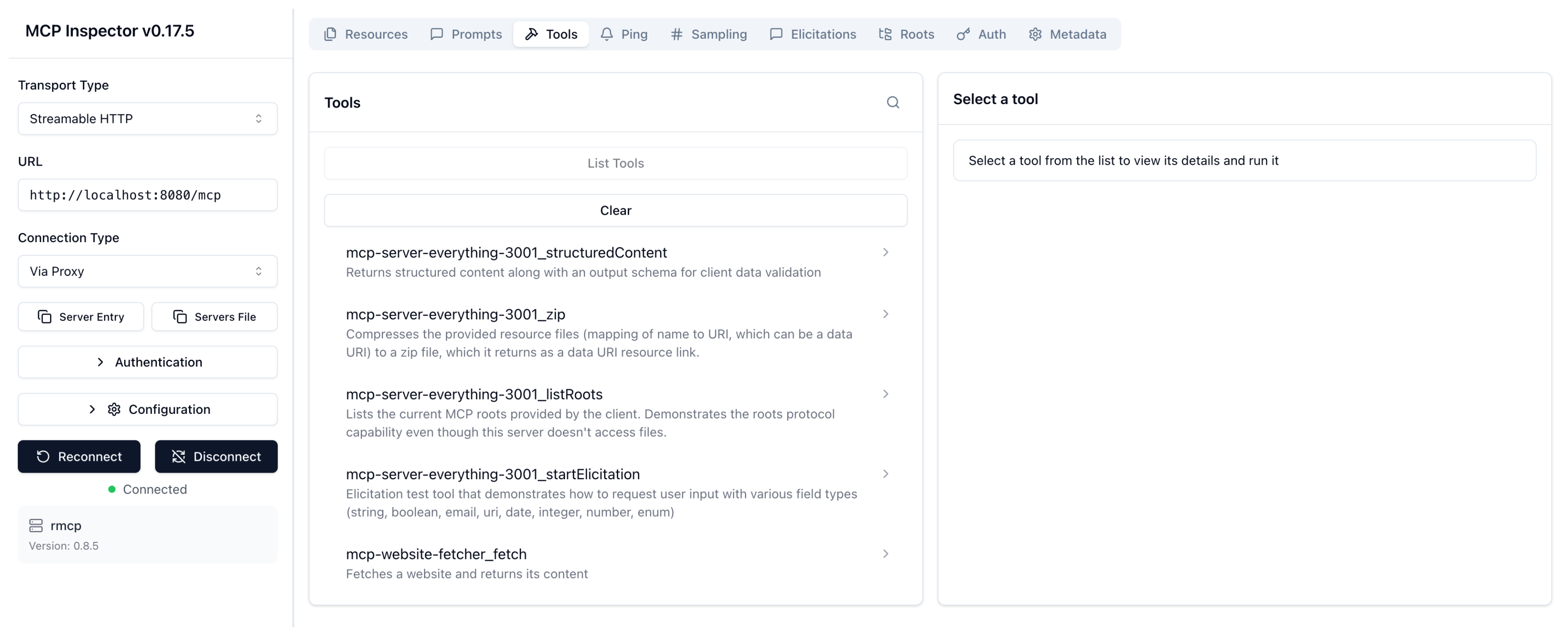
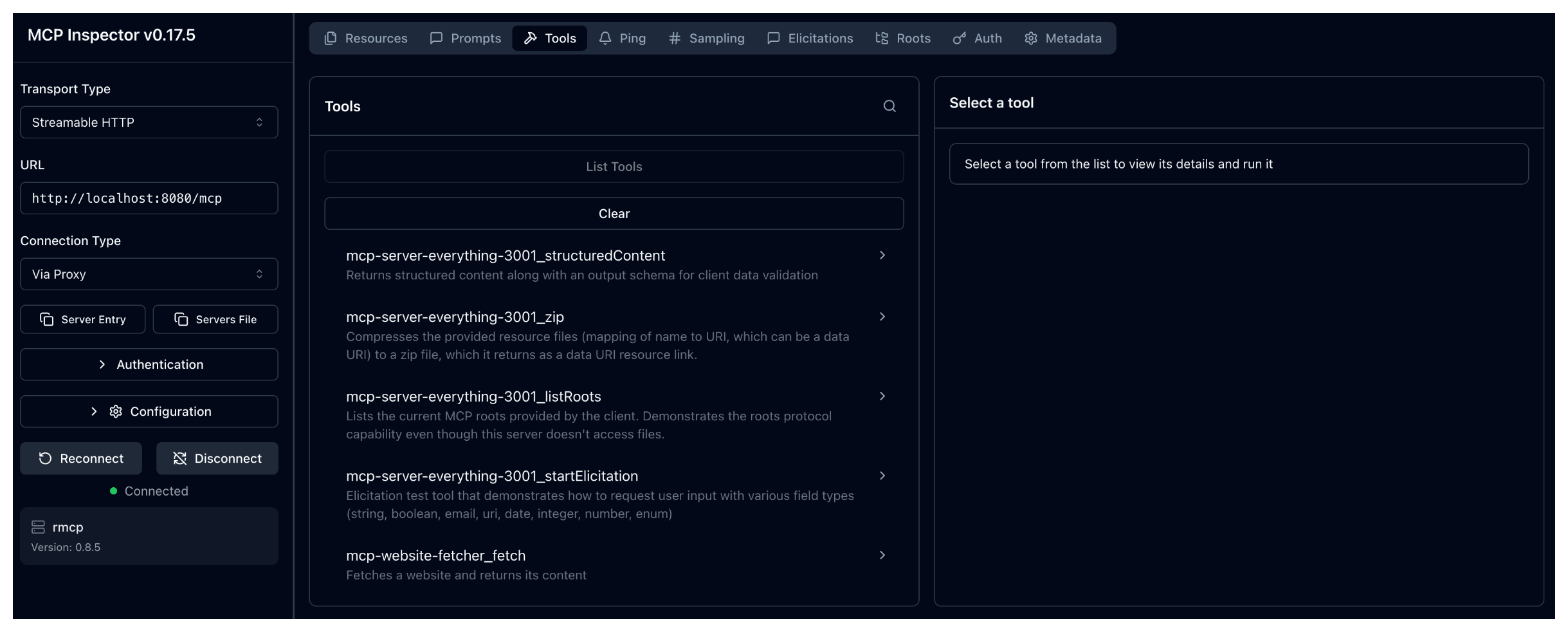
From the menu bar, click the Tools tab, and then List tools. Verify that you see the tools from both servers. The name of the tools are prepended with the names of the MCP servers that you set up in the AgentgatewayBackend.
mcp-server-everything-3001_*: Tools from theserver-everythingMCP server, likeecho,add, etc.mcp-website-fetcher_fetch: Thefetchtool from the website fetcher MCP server.
Test the federated tools:
- Test the
mcp-server-everything-3001_echotool: Click List Tools and select theechotool. In the Message field, enter any string, such asHello world, and click Run Tool. Verify that your string is echoed back. - Test the
mcp-website-fetcher_fetchtool: Click List Tools and select thefetchtool. In the url field, enter a website URL, such ashttps://lipsum.com/, and click Run Tool.
- Test the
Include targets conditionally
Set condition on an MCP target to include it only when a Common Expression Language (CEL) expression returns true. Omit condition to always include the target.
The expression can read request attributes, such as headers, and mcp.target.name, the target under evaluation. With authentication configured, it can also read identity attributes, such as JWT claims.
Agentgateway evaluates conditions before contacting targets. Excluded targets receive no requests from the client. MCP authorization filters list responses after agentgateway contacts the targets. See About MCP guardrails to compare the filtering options.
Update the AgentgatewayBackend to include the
mcp-website-fetchertarget only when the request has thex-include-fetcher: trueheader.kubectl apply -f- <<EOF apiVersion: agentgateway.dev/v1alpha1 kind: AgentgatewayBackend metadata: name: mcp spec: mcp: targets: - name: mcp-server-everything selector: services: matchLabels: app: mcp-server-everything - name: mcp-website-fetcher static: host: mcp-website-fetcher.default.svc.cluster.local port: 80 protocol: SSE condition: '"x-include-fetcher" in request.headers && request.headers["x-include-fetcher"] == "true"' EOFSave the MCP endpoint of your agentgateway proxy in an environment variable. Select the connection method that you used in Step 3.
export MCP_URL="http://${INGRESS_GW_ADDRESS}/mcp"Initialize an MCP session without the header, and save the session ID.
export MCP_SESSION_ID=$(curl -s -D - $MCP_URL \
  -H "Content-Type: application/json" \
  -H "Accept: application/json, text/event-stream" \
  -d '{"jsonrpc":"2.0","id":1,"method":"initialize","params":{"protocolVersion":"2025-06-18","capabilities":{},"clientInfo":{"name":"curl","version":"1.0.0"}}}' \
  | grep -i "mcp-session-id:" | sed 's/.*: //' | tr -d '\r')
curl -s $MCP_URL \
  -H "Content-Type: application/json" \
  -H "Accept: application/json, text/event-stream" \
  -H "mcp-session-id: $MCP_SESSION_ID" \
  -d '{"jsonrpc":"2.0","method":"notifications/initialized"}'
List the tools in the session. Verify that the list includes only the
mcp-server-everything-3001_*tools, such asmcp-server-everything-3001_echo, and not themcp-website-fetcher_fetchtool.curl -s $MCP_URL \ -H "Content-Type: application/json" \ -H "Accept: application/json, text/event-stream" \ -H "mcp-session-id: $MCP_SESSION_ID" \ -d '{"jsonrpc":"2.0","id":2,"method":"tools/list"}'Repeat the previous two steps, and add the
-H "x-include-fetcher: true"header to theinitializerequest. Verify that the tool list now also includes themcp-website-fetcher_fetchtool.
Keep the following behaviors in mind when you write target conditions:
- Evaluation timing: With
Statefulrouting (the default), conditions run at session initialization. The selected targets apply to all later requests in that session, even without the header. Conditions run again if agentgateway rebuilds the session from its session ID, such as on another replica. WithsessionRouting: Stateless, conditions run on every request. - Stable names: Tool and prompt names keep their target-name prefix even when only one target remains.
- Excluded targets: Their tools are absent from lists. Calls to those tools fail because the target is not part of the session.
- Evaluation errors: Agentgateway excludes the target if its condition fails to evaluate, such as when it reads a missing JWT claim.
- No targets: If every condition returns
false, clients see a virtual MCP server with no tools, prompts, or resources. - Selector targets: Conditions apply to each selected Service. The
mcp.target.namevariable holds that Service’s generated name. Set the name with theagentgateway.dev/mcp-target-nameannotation. Otherwise, it defaults to<service>-<port name>, or<service>-<port>for an unnamed port, such asmcp-server-everything-3001. - Validation: A condition requires at least two targets in the AgentgatewayBackend, unless the target uses a
selector.
| Field | Description |
|---|---|
spec.mcp.targets[].condition | Optional CEL expression that controls whether the target participates in the virtual MCP server. The expression must return a boolean value. |
mcp.target.name | CEL variable that holds the name of the target under evaluation. |
Cleanup
You can remove the resources that you created in this guide.kubectl delete Deployment mcp-server-everything mcp-website-fetcher
kubectl delete Service mcp-server-everything mcp-website-fetcher
kubectl delete AgentgatewayBackend mcp
kubectl delete HTTPRoute mcp